

Overview
Data Access Control (DAC) decides which data each person can see and act on in Bifrost Enterprise. It works together with role-based access control:- RBAC decides what a person can do: view logs, create virtual keys, edit teams.
- DAC decides which records those actions apply to: only their own, their team’s, their business unit’s, their customer’s, or everything.
- Least-privilege visibility - People see the data for the part of the organization they work in, and nothing else.
- Follows your org chart - Visibility comes from team and business unit membership, so it stays right as people move, including when membership is synced from your identity provider.
- Covers logs and dashboards - Request logs, MCP logs, and analytics are scoped the same way as keys and users.
- Inference-aware - Inference requests authenticated with a virtual key are scoped to the virtual key’s owner, so per-key calls behave consistently with dashboard sessions.
DAC is set on the role, not on individual users. Everyone holding a role gets the same scope, expanded over their own teams, business
units, and customers.
The scopes
Every role has a data access scope:
Team data, business unit data, and customer data are separate scopes, not steps on a ladder. Business unit data does not include the person’s team data, and customer data only includes teams and business units that belong to a customer. Pick the scope that matches how the role works.
A person in several teams, business units, or customers sees all of them combined.
Per-resource overrides
A role can set a different scope for individual kinds of data. For example, a support role can be Team data by default but All data for prompts, so everyone shares one prompt library while keys and logs stay team-only.How a person’s scope is worked out
- Their role sets the scope, and any override for the kind of data being viewed.
- Their memberships decide what the scope covers:
- Teams - the teams they are a member of.
- Business units - the business units they are a member of.
- Customers - the customers linked to those teams and business units. Users are never members of a customer directly.
- Changes apply quickly. When someone joins or leaves a team, or their role changes, their visibility updates across the cluster within moments, and in at most a few minutes.
What each scope can see
The table below describes what a person sees on each page.
Requests made with a group’s key stay with the group. A request made with a key owned by a team, business unit, or customer stays visible to that group’s scope, even after the person who sent it leaves.
All data sees every row of every table.
Data without an owner
Some records have no owner: data created before DAC was turned on, or created by background jobs.- Prompts, API keys, guardrails, access profiles, and projects with no owner are visible to everyone, so turning on DAC doesn’t hide your shared library.
- Keys, users, teams, business units, customers, logs, and audit entries with no owner are visible only to All data roles.
- People in no team or business unit are visible only to themselves and to All data roles.
Viewing vs changing data
DAC limits what a person can see. Their role’s permissions decide whether they can change it. A change has to pass both:- Editing or deleting works only on records the person can see. Anything outside their scope behaves as if it doesn’t exist.
- Creating a virtual key for a team, business unit, or customer requires that the person can see it. A business-unit-data user with permission to create keys can create keys for their own business units, not for others.
- Adding people to a team or business unit requires that both the group and the person being added are visible. A business-unit-scoped admin can add people they can already see, but can’t pull in anyone from outside their scope.
- Replacing a user’s teams leaves alone any memberships in teams the editor can’t see.
API calls and virtual keys
Requests made without a dashboard session are scoped by the credential that makes them:
So a script using a team-data user’s credentials can’t read another team’s prompts or logs, just like that user in the dashboard.
Fail-closed defaults
- Invalid scope values are rejected at the API, and a config.json role with one is skipped with a warning.
- A user with no resolved team list under
team-datasees an empty result set rather than falling back to all data. - Background jobs and migration runners have no user identity attached. They run unscoped because there is no principal to filter by.
Configuring scope on a role (Web UI)
- Navigate to Governance → Roles & Permissions.
- The Data Access column shows each role’s scope, plus a badge when the role has per-resource overrides. Click it, or open the role, and go to the Data Access tab.
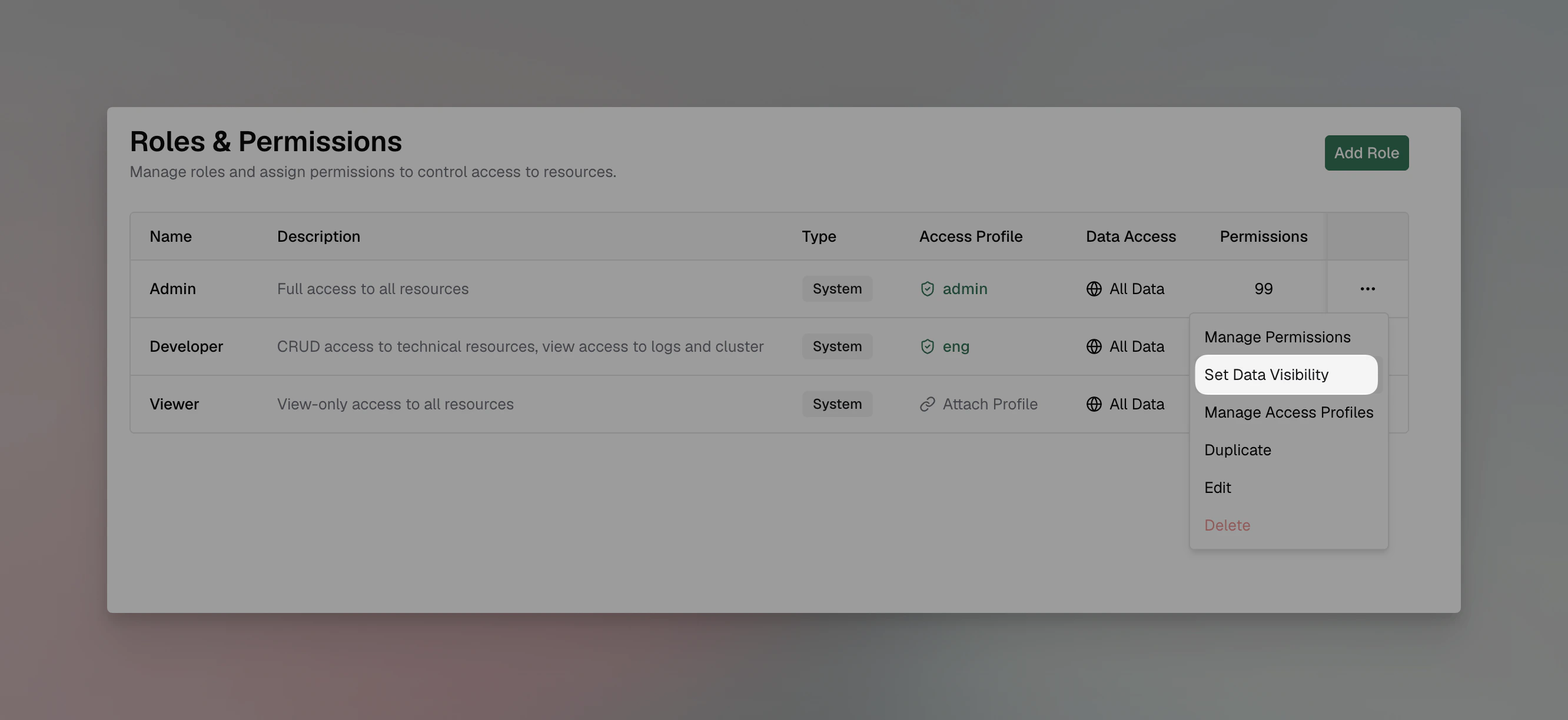
- Under Default for all entities, choose the scope.
- Under Per-entity overrides, optionally set a different scope for specific kinds of data.
- Save.
config.json and Helm
Set the scope withdac and the overrides with entity_dac on each role:
own-data, team-data, business-unit-data, customer-data, and all-data. entity_dac is keyed by resource name: Logs, MCPLogs, AuditLogs, VirtualKeys, Users, Teams, Customers, BusinessUnits, RBAC, APIKeys, AccessProfiles, PromptRepository, RoutingRules, GuardrailsConfig, MCPGateway, AgentGateway, AgentLogs, VirtualMCPs, and Projects. A role with an invalid value is skipped with a warning. In Helm, use bifrost.governance.roles[].dac and .entity_dac.
Examples
Team leads see only their team
Create a Team Lead role with Logs, Virtual Keys, and Users View permissions and Team data scope. Each lead sees their team’s members, keys, and requests, and nothing from other teams.Account managers see their customer
Create an Account Manager role with Customer data scope. Link each customer’s teams and business units to it. Account managers on any of Acme’s teams see everything under Acme: every team, every business unit, every member, and all of Acme’s traffic.A regional finance view
Create a Regional Finance role with Business unit data scope and Logs View. Members of the EMEA business unit see EMEA’s spend and requests in the dashboards, without seeing other regions.A shared prompt library
Give a role Team data by default and an override of All data for prompts. Everyone shares one prompt library while keys and logs stay team-only.Next steps
- RBAC - The permissions that DAC scopes.
- Teams, Business Units & Customers - The memberships DAC is based on.
- How Identity Sync Works - Keep roles and memberships in sync with your identity provider.
- Audit Logs - Audit entries are scoped the same way.