

Overview
An alert channel is a notification destination. When an alert rule triggers, Bifrost dispatches a notification to each channel attached to that rule. Channel configuration (URLs, keys, headers) is encrypted at rest.Channel types
Every channel also accepts an optional
name, an optional description, and an optional per-channel cooldown.
Slack
Create a Slack incoming webhook and provide its URL.Microsoft Teams
Provide a Teams incoming webhook or Workflows URL.PagerDuty
Use a PagerDuty service integration key (routing key) from an Events API v2 integration.event_action: "trigger", severity "warning", and a deduplication key derived from the rule ID, scope, and target so repeated triggers update the same incident. The source field is set to "Bifrost Alerting".
Webhook
Send a generic JSON payload to any HTTPS endpoint.Webhook payload
Cooldowns
Each channel can define an optional cooldown that applies on top of the rule’s cooldown. When a channel is within its cooldown window, matched alerts that would have been delivered through that channel are recorded asskipped in alert history with reason "channel_cooldown".
- A channel cooldown of
0means no additional suppression beyond the rule cooldown. - The API accepts
cooldown_milliseconds, which must be a multiple of 1000. config.jsonacceptscooldown_seconds, a whole-second integer.
Security
All channels enforce network safety controls:- HTTPS by default. Slack, Microsoft Teams, and generic webhook channels require HTTPS unless
webhook_network.allow_httpistrue. PagerDuty always uses its fixed HTTPS Events API endpoint. - SSRF protection. RFC1918 private-network destinations are blocked unless
webhook_network.allow_private_networkistrue. Loopback destinations such aslocalhostare permitted for local development. Link-local and unspecified addresses remain blocked regardless of this setting. - Header sanitization. Sensitive outbound headers are stripped from webhook requests:
authorization,connection,content-length,cookie,host,proxy-authorization,set-cookie,te,trailer,transfer-encoding,upgrade.
Creating a channel
- Web UI
- API
- config.json
Open Alerting in the Bifrost dashboard, go to the Channels tab, and click Add Channel.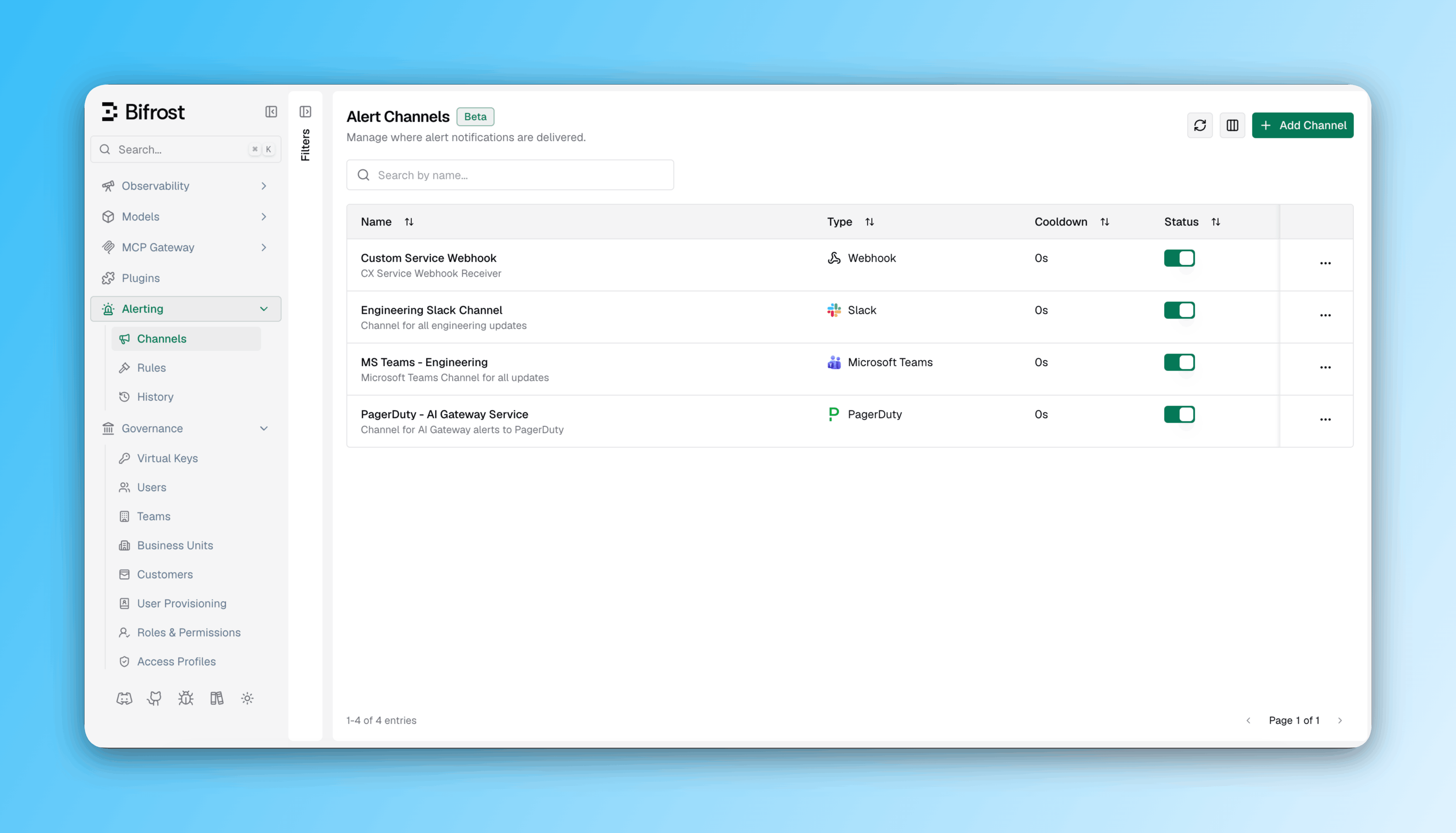
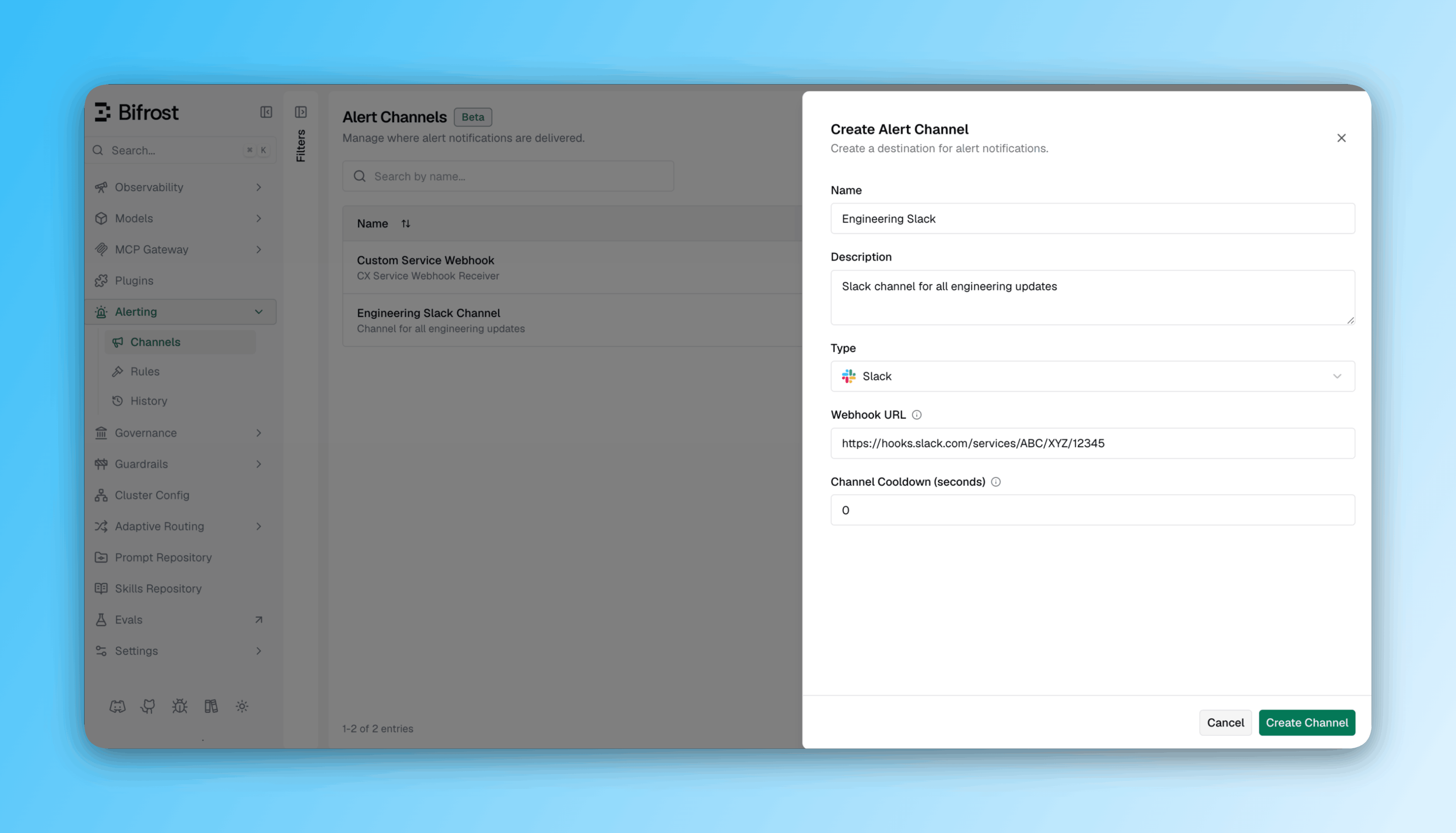
- Enter a Channel Name and optional Description.
- Select a Channel Type: Slack, Microsoft Teams, PagerDuty, or Webhook.
- Provide the type-specific configuration (webhook URL, routing key, etc.).
- Optionally set a Channel Cooldown and, for webhooks, Custom Headers.
- Click Create Channel.
Next steps
Alert Rules
Attach channels to rules and define trigger conditions.
Alert History
Review delivery outcomes for every channel.