

Overview
Model Context Protocol (MCP) enables AI models to seamlessly discover and execute external tools at runtime, transforming static chat models into dynamic, action-capable agents. Instead of being limited to text generation, AI models can interact with filesystems, search the web, query databases, and execute custom business logic through external MCP servers. Bifrost’s MCP integration provides a secure, high-performance bridge between AI models and external tools, with client-side control over all tool execution and granular filtering capabilities. 🔒 Security-First Design: Bifrost never automatically executes tool calls. Instead, it provides APIs for explicit tool execution, ensuring human oversight and approval for all potentially dangerous operations. Key Benefits:| Feature | Description |
|---|---|
| Dynamic Discovery | Tools are discovered at runtime from external MCP servers |
| Stateless Design | Independent API calls with no session state management |
| Client-Side Control | Bifrost manages all tool execution for security and observability |
| Multiple Protocols | STDIO, HTTP, and SSE connection types |
| Granular Filtering | Control tool availability per request and client |
| High Performance | Async execution with minimal latency overhead |
| Copy-Pastable Responses | Tool results designed for seamless conversation assembly |
How MCP Works in Bifrost
Bifrost acts as an MCP client that connects to external MCP servers hosting tools. The integration is completely stateless with independent API calls:- Discovery: Bifrost connects to configured MCP servers and discovers available tools
- Integration: Tools are automatically added to the AI model’s function calling schema
- Suggestion: Chat completion requests return tool call suggestions (not executed)
- Execution: Separate tool execution API calls execute specific tool calls
- Assembly: Your application manages conversation state and assembles chat history
- Continuation: Follow-up chat requests use the complete conversation history
- Chat completions return tool call suggestions without executing them
- Tool execution requires separate API calls with explicit tool call data
- No state management - your application controls conversation flow
- Copy-pastable responses designed for easy conversation assembly
- Unintended API calls to external services
- Accidental data modification or deletion
- Execution of potentially harmful commands
Setup Guides
Go SDK Setup
Configure MCP in your Bifrost initialization:Gateway Setup
- Web UI
- API
- config.json
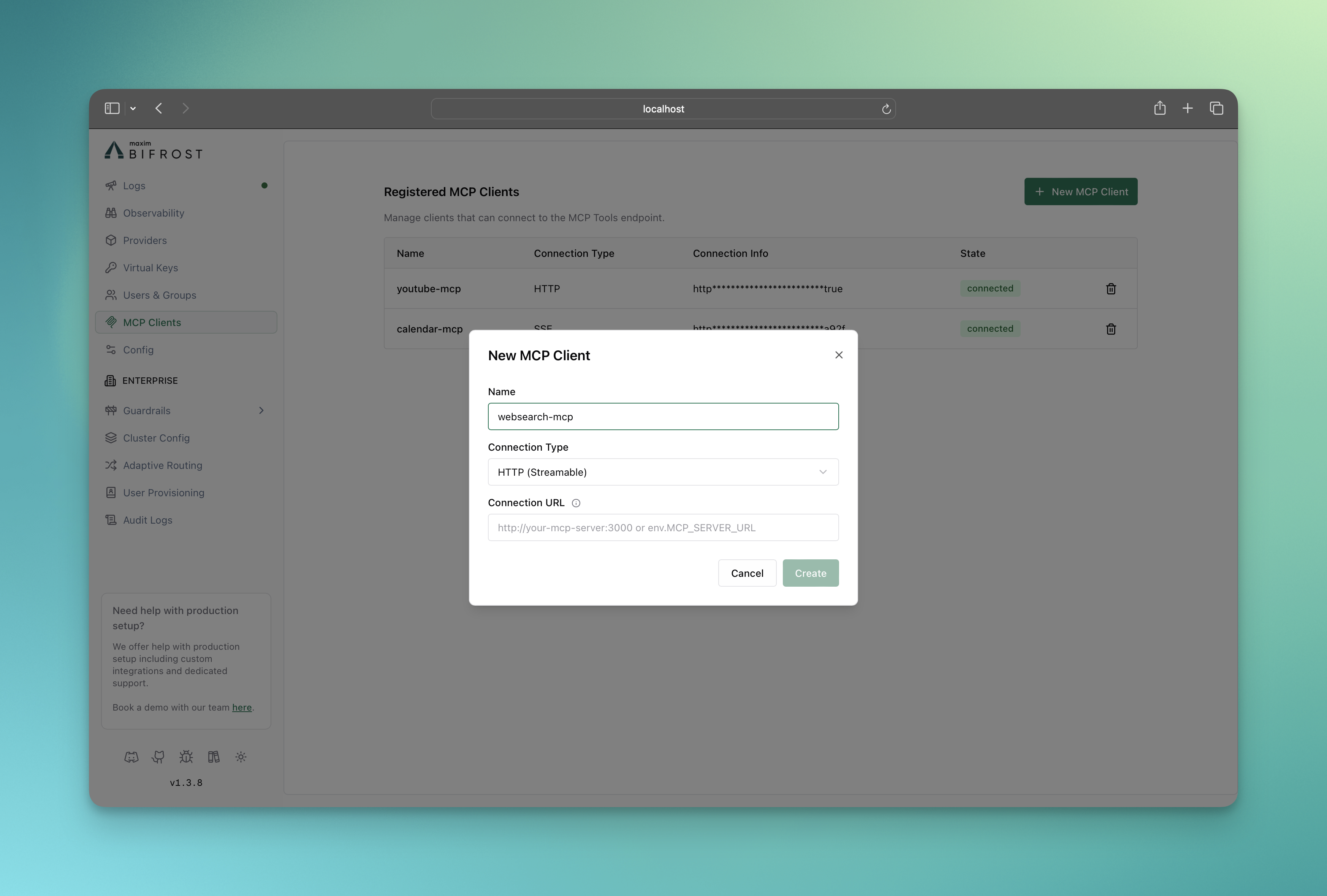
- Navigate to MCP Clients in the Bifrost Gateway UI
- Click New MCP Client
- Configure connection details:
- Name: Unique identifier for the MCP client
- Connection Type: STDIO, HTTP, or SSE
- Connection Details: Command/URL based on connection type
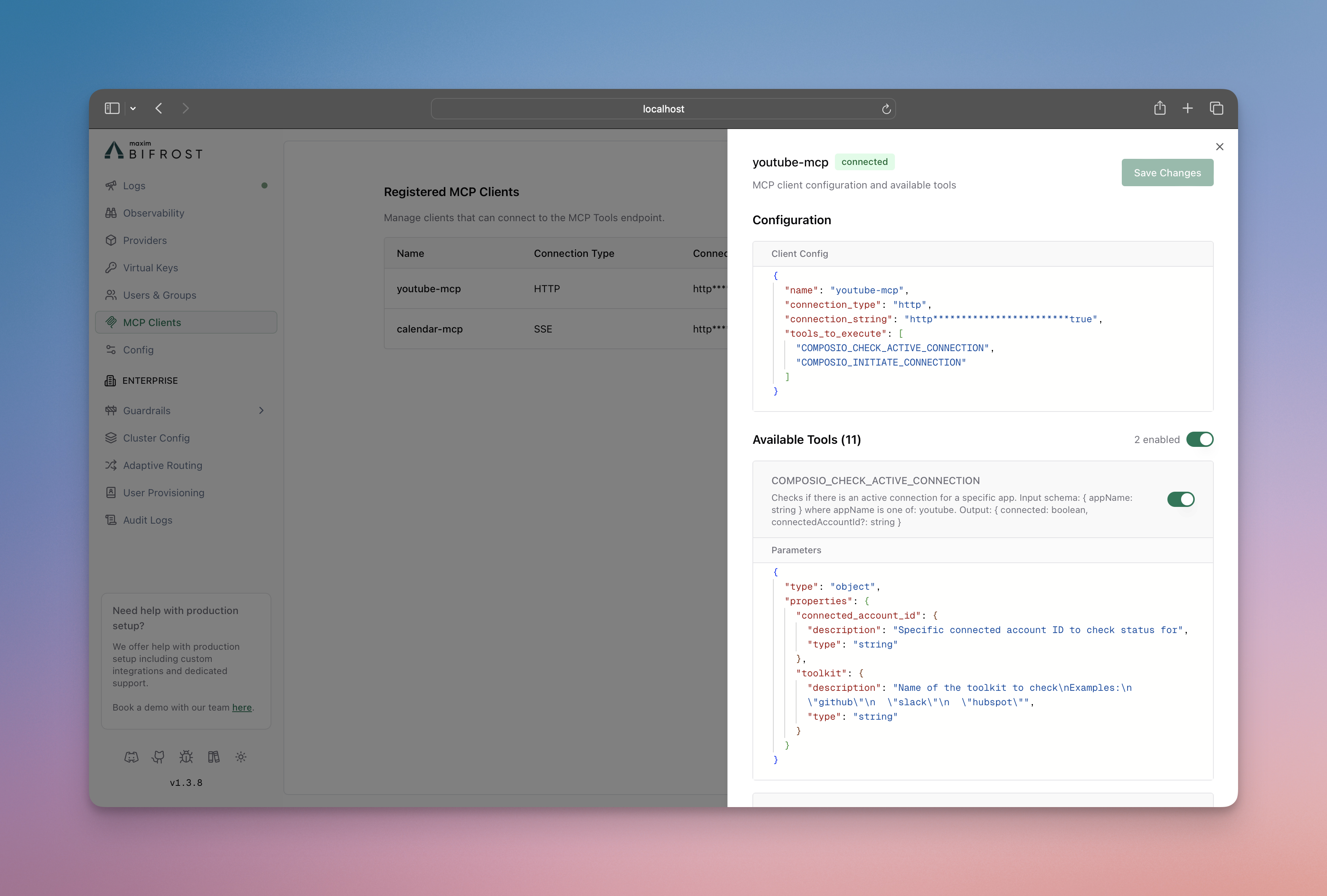
Connection Types
STDIO Connection
STDIO connections launch external processes and communicate via standard input/output. Best for local tools and scripts. Configuration:- Local filesystem operations
- Database queries with local credentials
- Python/Node.js MCP servers
- Custom business logic scripts
HTTP Connection
HTTP connections communicate with MCP servers via HTTP requests. Ideal for remote services and microservices. Configuration:- Remote API integrations
- Cloud-hosted MCP services
- Microservice architectures
- Third-party tool providers
SSE Connection
Server-Sent Events (SSE) connections provide real-time, persistent connections to MCP servers. Best for streaming data and live updates. Configuration:- Real-time market data
- Live system monitoring
- Streaming analytics
- Event-driven workflows
End-to-End Tool Calling
- Go SDK
- Gateway
Complete tool calling workflow with the Go SDK:
Tool Registry (Go SDK Only)
The Go SDK provides a powerful tool registry for hosting custom tools directly within your application using typed handlers.- Type Safety: Compile-time checking of tool arguments and return types
- Performance: In-process execution with zero network overhead
- Simplicity: No external MCP server setup required
- Integration: Tools are automatically available to all AI requests
- Error Handling: Structured error responses with detailed context
Advanced Configuration
Tool and Client Filtering
Control which tools and clients are available per request or globally: Request-Level Filtering:- Go SDK
- Gateway
Use context values to filter clients and tools per request:
ToolsToExecute) defines the set of enabled tools for that client. The request-level mcp-include-tools list can then be used to select a subset of those tools for a specific request. If mcp-include-tools is not provided, all tools enabled by the client’s configuration are available.
- Include lists are strict whitelists: If
include-clients/include-toolsis specified, ONLY those clients/tools are allowed. - Wildcard support: Use
*to include all clients. For tools, use*in the client configuration to include all its tools. At the request level, use<clientName>/*to include all tools from a specific client. - Empty array behavior: An empty array
[]means no clients/tools are included.
Environment Variables
Use environment variables for sensitive configuration: Gateway:- Automatically resolved during client connection
- Redacted in API responses and UI for security
- Validated at startup to ensure all required variables are set
Client State Management
Monitor and manage MCP client connections:- Go SDK
- Gateway API
- Connected: Client is active and tools are available
- Connecting: Client is establishing connection
- Disconnected: Client lost connection but can be reconnected
- Error: Client configuration or connection failed