

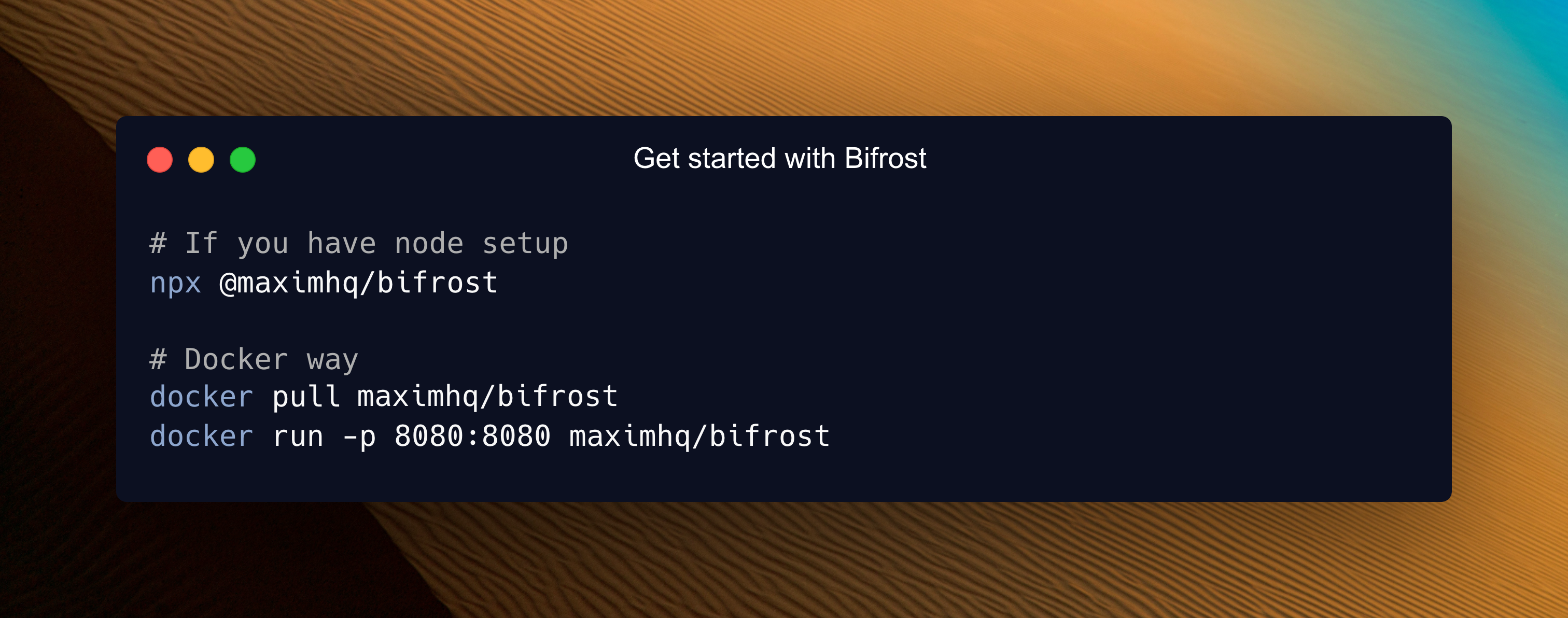
30-Second Setup
Get Bifrost running as a blazing-fast HTTP API gateway with zero configuration. Connect to any AI provider (OpenAI, Anthropic, Bedrock, and more) through a unified API that follows OpenAI request/response format.1. Choose Your Setup Method
Both options work perfectly - choose what fits your workflow:NPX Binary
Docker
2. Configuration Flags
Understanding App Directory
The
-app-dir flag determines where Bifrost stores all its data:
config.json- Configuration file (optional)config.db- SQLite database for UI configurationlogs.db- Request logs database
3. Open the Web Interface
Navigate to http://localhost:8080 in your browser:- Visual provider setup - Add API keys with clicks, not code
- Real-time configuration - Changes apply immediately
- Live monitoring - Request logs, metrics, and analytics
- Governance management - Virtual keys, usage budgets, and more
4. Test Your First API Call
What Just Happened?
- Zero Configuration Start: Bifrost launched without any config files - everything can be configured through the Web UI or API
- OpenAI-Compatible API: All Bifrost APIs follow OpenAI request/response format for seamless integration
- Unified API Endpoint:
/v1/chat/completionsworks with any provider (OpenAI, Anthropic, Bedrock, etc.) - Provider Resolution:
openai/gpt-4o-minitells Bifrost to use OpenAI’s GPT-4o Mini model. You can also use bare model names likegpt-4o-mini, Bifrost will automatically resolve the provider via the Model Catalog - Automatic Routing: Bifrost handles authentication, rate limiting, and request routing automatically
Protect the Dashboard
A fresh Bifrost instance has no password. Anyone who can reach the port can open the dashboard and the admin API. Add a password before you expose Bifrost beyond your own machine. Running Bifrost without a password is allowed. But the moment you create the first admin account, a setup token is required. You pick the value and set it before you start Bifrost. If no setup token is set, Bifrost rejects the request to create the admin account.- Go to Workspace → Config → Security
- Turn on Password protect the dashboard
- Enter an admin username and password
- Paste your token into the Setup token field and save
The token is only checked when the first admin account is created. Bifrost never stores it or writes it to logs, and it stops mattering once the account exists. If you forgot to set it, stop Bifrost and start it again with
BIFROST_SETUP_TOKEN set. You can also set setup_token in config.json. See Setting up auth for the full steps.Configuration Modes
Bifrost has two user-facing configuration modes:Omitting
config_store does not mean file-only mode. If config.json exists and config_store is omitted, Bifrost creates the default SQLite config store and treats the file as DB-backed startup configuration. Set config_store.enabled: false only when the file should be the only configuration source.config.json interacts with database state:
- Entities defined in
config.jsonare stored with a content-based hash on first load. - Changes made later through the UI or API are persisted to the database and survive pod restarts, scale-ups, and redeployments.
- Re-applying the same
config.jsondoes not overwrite those database changes, because the content hash is unchanged. If you edit an entity directly inconfig.json, its hash changes and the file-based definition overwrites the database copy. - Set
source_of_truth: "config.json"only when explicitly present file sections should replace matching DB state on startup. Missing sections leave DB rows untouched; present empty sections can prune matching DB rows.
Mode 1: Web UI / Database Configuration
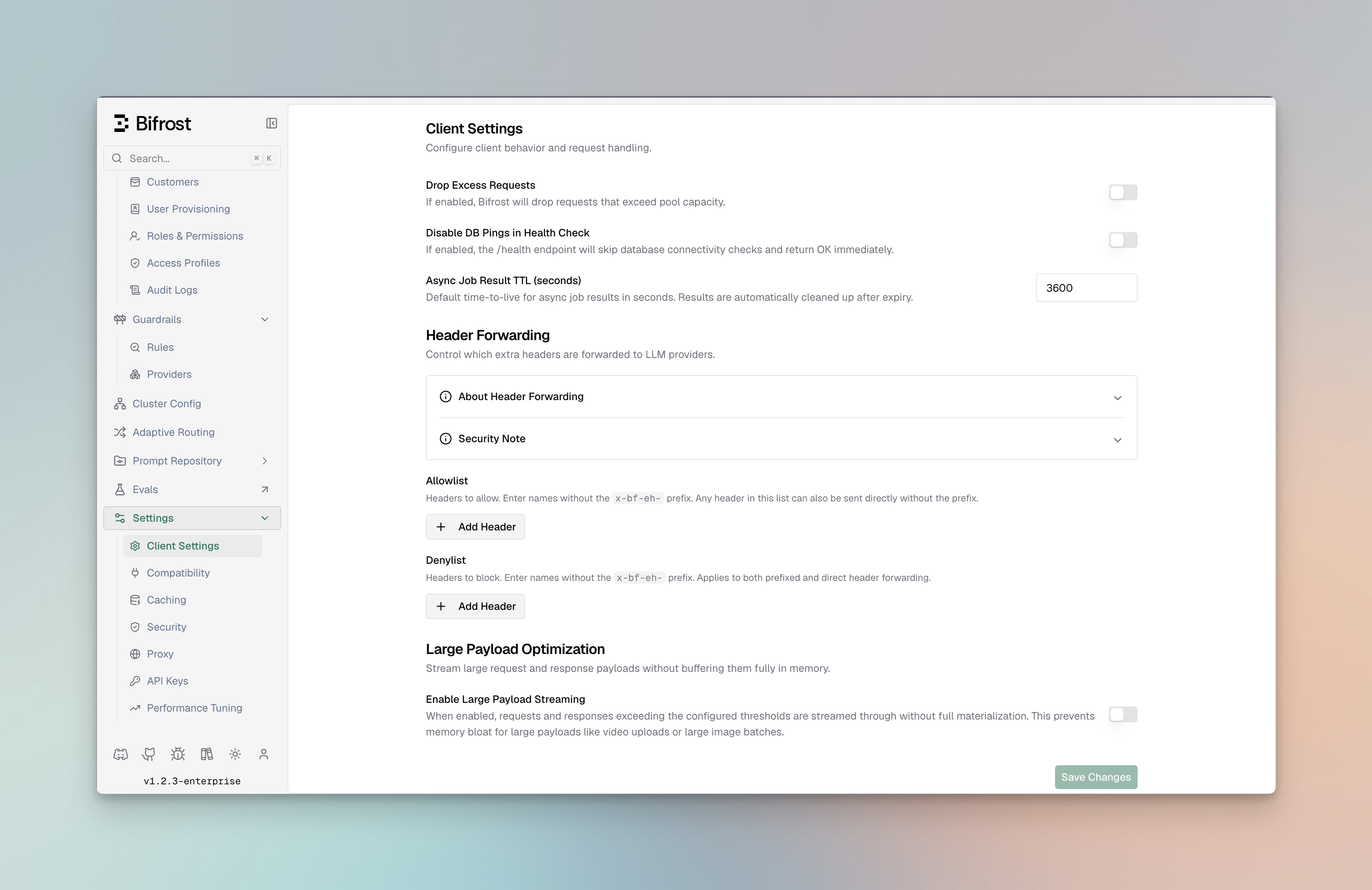
- No
config.jsonfile exists (Bifrost auto-creates SQLite database) config.jsonexists withconfig_storeomitted or enabled
Optional: DB-backed config.json
You can view entire config schema here
config.json in your app directory:
config_store omitted or enabled:
- UI is enabled - full real-time configuration via web interface
- Database check - Bifrost reconciles
config.jsonagainst the config store using a content-based hash per entity- Empty DB: Bootstraps database with
config.jsonsettings, then uses DB for runtime reads - Existing DB: Compares each entity’s file hash to the stored
ConfigHash. In default split mode, unchanged file-backed entities keep the DB copy so UI/API edits are preserved. If you edit that entity inconfig.json, the file definition overwrites the DB copy for that entity.
- Empty DB: Bootstraps database with
- Persistent storage - all changes saved to database immediately
Mode 2: File-only config.json
When to use: Advanced setups, GitOps workflows, or when UI is not needed. Setconfig_store.enabled to false when config.json should be the only configuration source:
- Config UI/API edits are unavailable - no config store is initialized
- Read-only file - Bifrost never modifies
config.json - Memory-only config - settings are loaded into memory at startup
- Restart required - changes to
config.jsonapply after restart
- Config Store: Stores provider configs, API keys, MCP settings - Required for UI functionality
- Logs Store: Stores request logs shown in UI - Optional, can be disabled
- Vector Store: Used for semantic caching - Optional, can be disabled
PostgreSQL UTF8 Requirement
The minimum PostgreSQL version required is 16 or above.
For the log store, Bifrost creates materialized views to improve analytics performance. Ensure
that the PostgreSQL user has the necessary permissions to perform these operations on the target
schema.
If you are behind PgBouncer in transaction pooling mode, RDS Proxy or any proxy that does not guarantee session affinity, Bifrost migrations may fail due to concurrent session locking issues.
config_store or logs_store, the target database must use UTF8 encoding.
Use template0 when creating the database so PostgreSQL applies UTF8 and locale settings explicitly:
en_US.UTF-8, C.UTF-8, or another installed UTF-8 locale).
Verify the database encoding:
Next Steps
Now that you have Bifrost running, explore these focused guides:Essential Topics
- Provider Configuration - Multiple providers, automatic failovers & load balancing
- Integrations - Drop-in replacements for OpenAI, Anthropic, and GenAI SDKs
- Multimodal Support - Support for text, images, audio, and streaming, all behind a common interface.
Advanced Topics
- Tracing - Logging requests for monitoring and debugging
- MCP Tools - Enable AI models to use external tools (filesystem, web search, databases)
- Governance - Usage tracking, rate limiting, and cost control
- Deployment - Production setup and scaling
Happy building with Bifrost! 🚀