

Overview
The Bifrost MCP server at/v1/mcp turns Bifrost’s own HTTP API into MCP tools. Connect an agent such as Claude Code or Cursor to it, and the agent can do what an API client can: list providers and virtual keys, read logs, change configuration, or send a chat completion through the gateway.
- One tool per API operation. Each tool is named after the operation’s
operationId, for examplegetConfig,listVirtualKeys,createVirtualKeyorcreateChatCompletion, and takes that operation’s parameters and body. - Your credential, your permissions. Every tool call runs as the caller, through the same authentication as a direct API request. The server grants nothing the credential does not already allow.
- Writes are a switch. Configuration changes can be turned off as a whole, leaving a read-only management server that still serves inference.
Set it up
The server needs one setting: the Bifrost URL, the address clients use to reach the gateway. Until it is set,/v1/mcp answers 503.
Bifrost makes every tool call through that address rather than through the Host header the client sent, which the client controls. Links and redirects the API builds then point at your real public URL.
- Include the base path. If Bifrost is served under a prefix with
server.base_path, the Bifrost URL must include it, for examplehttps://bifrost.example.com/bifrost. - Format. An absolute
httporhttpsURL, with no username, query string or fragment.
- Web UI
- API
- config.json
- Open Settings → Client Settings.
-
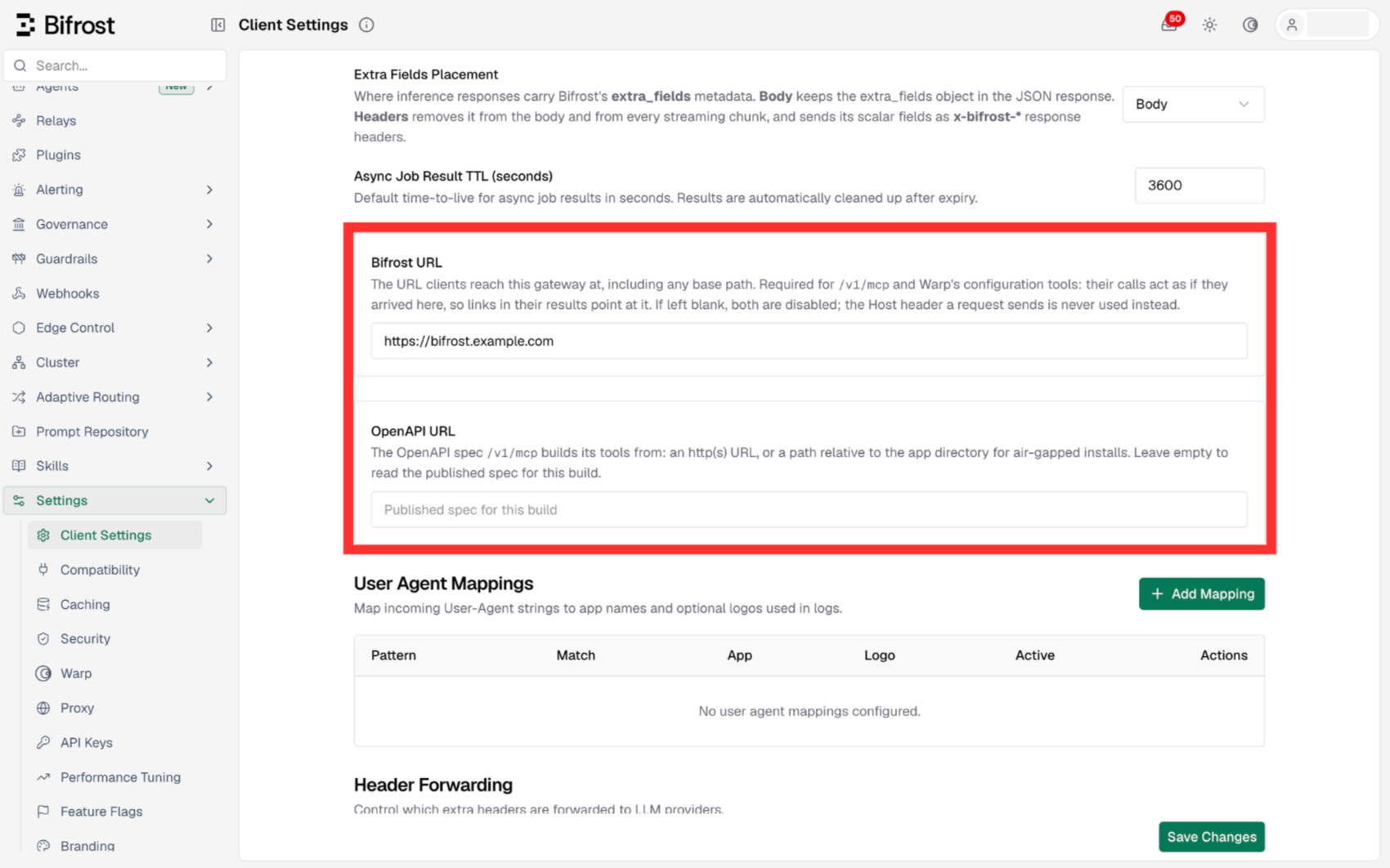
Enter the gateway’s public address in Bifrost URL, then save. OpenAPI URL, below it, is only needed for air-gapped installs (see Where the tools come from).
-
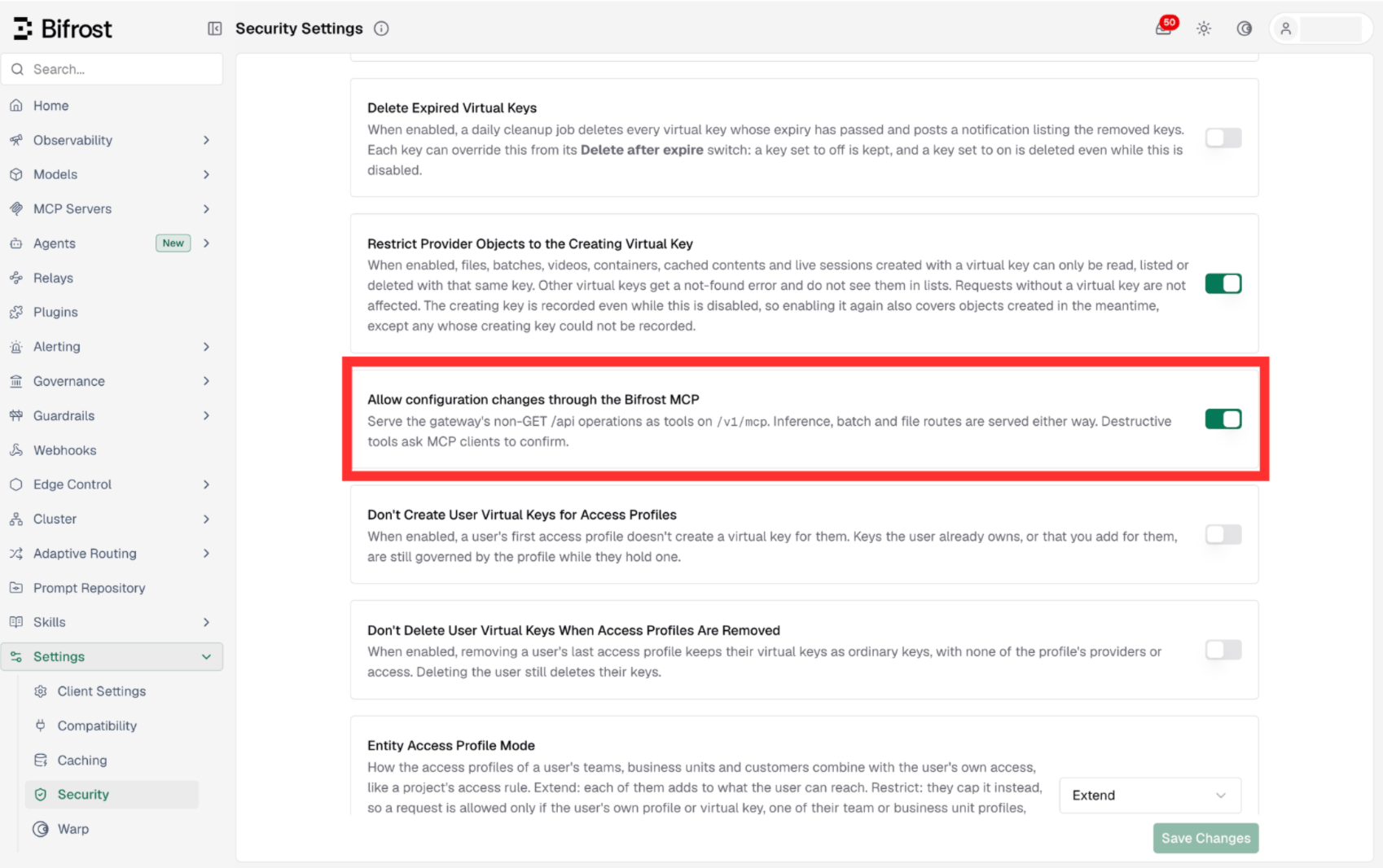
To turn off configuration changes through the server, open Settings → Security and switch off Allow configuration changes through the Bifrost MCP. It is on by default.
Connect a client
The server speaks MCP over Streamable HTTP. Point a client at<Bifrost URL>/v1/mcp and send a management credential in the Authorization header (see Authentication).
- Claude Code
- mcp.json
https://bifrost.example.com/bifrost/v1/mcp. Locally, use http://localhost:8080/v1/mcp.
Inference tools and virtual keys
Tool calls forward the headers your client sent, so headers that steer inference work as they do on a direct request. To have inference tools such ascreateChatCompletion run under a virtual key, with its budgets, rate limits and routing, send the key in x-bf-vk alongside the management credential:
Authentication
/v1/mcp sits behind the same authentication as the management API (/api), and every MCP message needs a management credential, tools/list included:
- A virtual key alone is refused. A request whose only credential is a virtual key gets
401with a message saying to send a management credential alongside it. Send the virtual key inx-bf-vknext to one, as shown above. - Every tool call is checked again. A call runs through the full middleware chain of the route it reaches, with your forwarded headers, the same way a direct request to that route would.
- Cookies are not forwarded. A tool call never rides a browser’s dashboard session, so a web page cannot act through
/v1/mcpwith an administrator’s cookie. Use theAuthorizationheader.
What it serves
The server builds its tools from Bifrost’s OpenAPI spec. Every operation becomes a tool, except:- Deprecated operations.
- Operations a request-and-response tool cannot carry: login, logout and other session endpoints, the browser steps of OAuth flows, streams and WebSocket upgrades (such as
/v1/realtimeand Warp’s chat stream), binary downloads, and the two MCP endpoints themselves. - Routes this gateway does not serve. On Bifrost OSS that removes the Enterprise-only operations.
- Configuration changes, when writes are off. With Allow configuration changes through the Bifrost MCP off, every non-GET operation under
/apiis left out. Inference, batch and file routes stay available, since they are the caller’s own requests rather than changes to the gateway.
A tool call always returns one complete answer. The
stream argument is removed from inference tools, so a chat completion comes back whole rather than as a stream of chunks.
Where the tools come from
By default the server reads the published OSS spec,https://getbifrost.ai/openapi-oss.json, when Bifrost starts. To use another copy, set OpenAPI URL under Settings → Client Settings, framework_config.openapi_url in PUT /api/config, or framework.pricing.openapi_url in config.json (bifrost.framework.pricing.openapiUrl on Helm). It takes an http(s) URL, or a path relative to the app directory.
Air-gapped installs: Bifrost cannot reach
getbifrost.ai, so copy the spec into the app directory and set the OpenAPI URL to its relative path, such as openapi.json. Without it the server does not load, and /v1/mcp answers 503.pricing.openapi_url for how a save that also changes the Bifrost URL or the writes switch is applied.
Troubleshooting
503: the Bifrost MCP needs bifrost_url set
Cause: The Bifrost URL is not set.
Fix: Set it as described in Set it up.
503: the Bifrost MCP spec is unavailable
Cause: The spec has not loaded yet, or its source cannot be reached. The gateway log has a [Bifrost MCP] warning with the reason.
Fix: Wait for the background retry, or point the OpenAPI URL at a reachable copy (see Where the tools come from).
401: /v1/mcp takes a management credential
Cause: The request carried only a virtual key, or no credential.
Fix: Send a management credential in Authorization (or the setup token), and put the virtual key in x-bf-vk if you need it for inference tools.
405 on GET /v1/mcp
Cause: The client tried to open a server-sent events stream. /v1/mcp does not offer one and answers every message over POST.
Fix: None needed. MCP clients fall back to POST on their own.
Configuration tools are missing from the tool list
Cause: Allow configuration changes through the Bifrost MCP is off, so non-GET/api operations are left out.
Fix: Turn it on under Settings → Security, or set client.bifrost_mcp_allow_writes to true.
Links in tool results point at the wrong address
Cause: The Bifrost URL does not match the address clients use, often because it is missing the base path. Fix: Set it to the full public URL, includingserver.base_path.
Next steps
- MCP Gateway - Serve the tools of your own MCP servers on
/mcp - Client configuration - All
clientsettings inconfig.json - Bifrost MCP message - The
/v1/mcpendpoint in the API reference