

Overview
Perplexity is an OpenAI-compatible API with built-in web search capabilities and reasoning support. Bifrost performs conversions including:- OpenAI-compatible base - Uses OpenAI’s chat format as foundation
- Web search parameters - Search mode, domain filters, recency filters, and location-based search
- Reasoning effort mapping -
reasoning.effortmapped to Perplexity’sreasoning_effortwith special handling for “minimal” - Search results inclusion - Citations, search results, and videos included in response
- Special usage tracking - Citation tokens, search queries, and reasoning tokens tracked separately
Supported Operations
Unsupported Operations (❌): Text Completions, Embeddings, Image Generation, Speech, Transcriptions, Files, and Batch are not supported by the upstream Perplexity API. These return
UnsupportedOperationError.Setup & Configuration
Configure Perplexity as a provider.- Web UI
- config.json
- API
- Go SDK
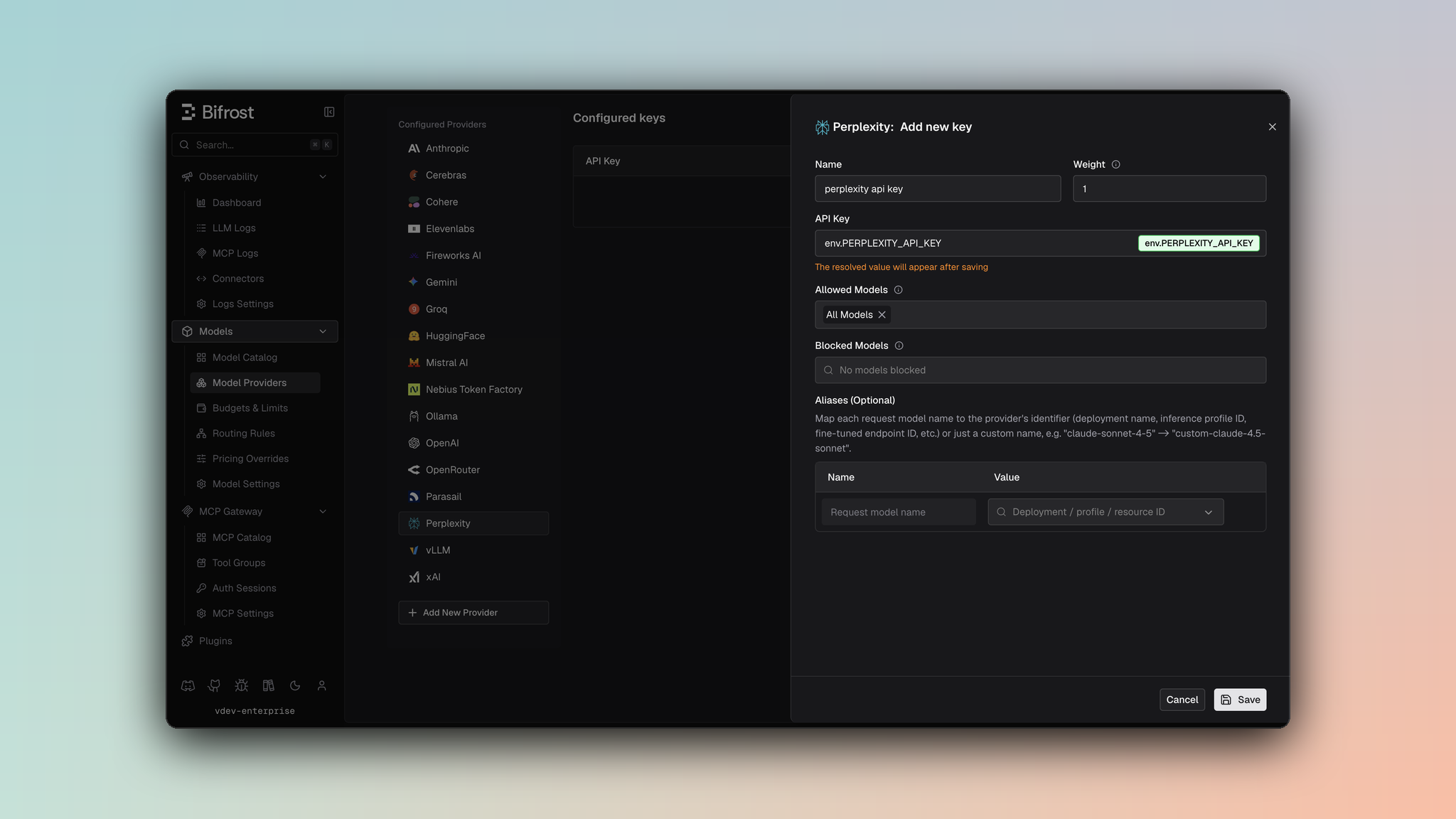
- Navigate to Models > Model Providers. Look for Perplexity under Configured Providers. If it is missing, click on Add New Provider and select Perplexity.
- Click Add Key or edit an existing key.
- Set a name for your key.
- Paste your API key directly or use an environment variable (for example,
env.PERPLEXITY_API_KEY). - Set Allowed Models to All Models (default) or the specific model allowlist you want this key to serve.
- Save the provider configuration.
1. Chat Completions
Request Parameters
Perplexity supports most OpenAI chat completion parameters. For standard parameter reference, see OpenAI Chat Completions.Perplexity-Specific Constraints
- No function calling:
toolsandtool_choiceare silently dropped - Dropped parameters:
stop,logit_bias,logprobs,top_logprobs,seed,parallel_tool_calls,service_tier - Reasoning: Uses
reasoning_effortinstead ofreasoningobject (see Reasoning & Effort)
Perplexity-Specific Parameters
Useextra_params (SDK) or pass directly in request body (Gateway) for Perplexity-specific search and configuration fields:
- Gateway
- Go SDK
Search Parameters
Media Parameters
Web Search Options
Configure detailed search behavior including location:Reasoning & Effort
Parameter Mapping
reasoning.effort→reasoning_effort- Supported efforts:
"low","medium","high" - Special conversion:
"minimal"→"low"(Perplexity normalizes to low/medium/high) reasoning.max_tokensis silently dropped (Perplexity doesn’t support token budget control)
Example
Response Conversion
Search Results Inclusion
Perplexity responses include additional fields for search integration:citations[]- Source citations from searchsearch_results[]- Full search results with metadatavideos[]- Video results from search
Usage Details
Extended usage tracking specific to Perplexity:Example Response
Streaming
Perplexity uses OpenAI-compatible streaming format. Event sequence:chat.completion.chunkevents with delta updates- Standard OpenAI finish reason mapping
Streaming with web search may return search results in final chunks.
Caveats
No Tool Support
No Tool Support
Severity: High
Behavior: Tool-related parameters are silently dropped
Impact: Function calling not available
Code:
chat.go:8-36Reasoning Effort Mapping
Reasoning Effort Mapping
Severity: Medium
Behavior:
"minimal" effort is mapped to "low" (Perplexity only supports low/medium/high)
Impact: Requested minimal effort becomes low effort
Code: chat.go:30-36, responses.go:25-30Reasoning Max Tokens Dropped
Reasoning Max Tokens Dropped
Severity: Low
Behavior:
reasoning.max_tokens is silently dropped
Impact: No control over reasoning token budget
Code: chat.go:29-36Stop Sequences Not Supported
Stop Sequences Not Supported
Severity: Low
Behavior:
stop parameter is silently dropped
Impact: Stop sequences not enforced
Code: chat.go:8-362. Responses API
The Responses API is adapted for Perplexity by converting to the Chat Completions format internally and returning results in Responses format.Request Parameters
Parameter Mapping
Extra Parameters
Same Perplexity-specific search and configuration parameters as Chat Completions (see Perplexity-Specific Parameters).- Gateway
- Go SDK
Conversion Details
instructionsbecomes a system message prepended to input messagesinput(string or array) converted to user message(s)- Response converted to Responses API format with same search results and extended usage details
Response Format
Same as Chat Completions with search results, citations, and extended usage tracking preserved.Streaming
Responses streaming uses the same OpenAI-compatible streaming as Chat Completions, with results adapted to Responses format.3. Decisions
Perplexity’s decider models answer/v1/decisions:
Dated snapshots (for example
pplx-decider-v1.1-27b-20261006) work too.
POST /v1/decisions, which uses TypeSafe’s System One format, so questions are converted as on TypeSafe. Differences from TypeSafe:
- Images are supported.
input_imageparts are sent in order with the message text. Perplexity decides which URLs it accepts; a remote URL it cannot fetch returns its own400. - Score questions take 1-10 levels (TypeSafe needs at least 2).
- The response
idcomes from Perplexity’sx-request-idheader.
pplx-decider-v1.1-27b.